 Flight Studio
Your flight, written onto the footage.
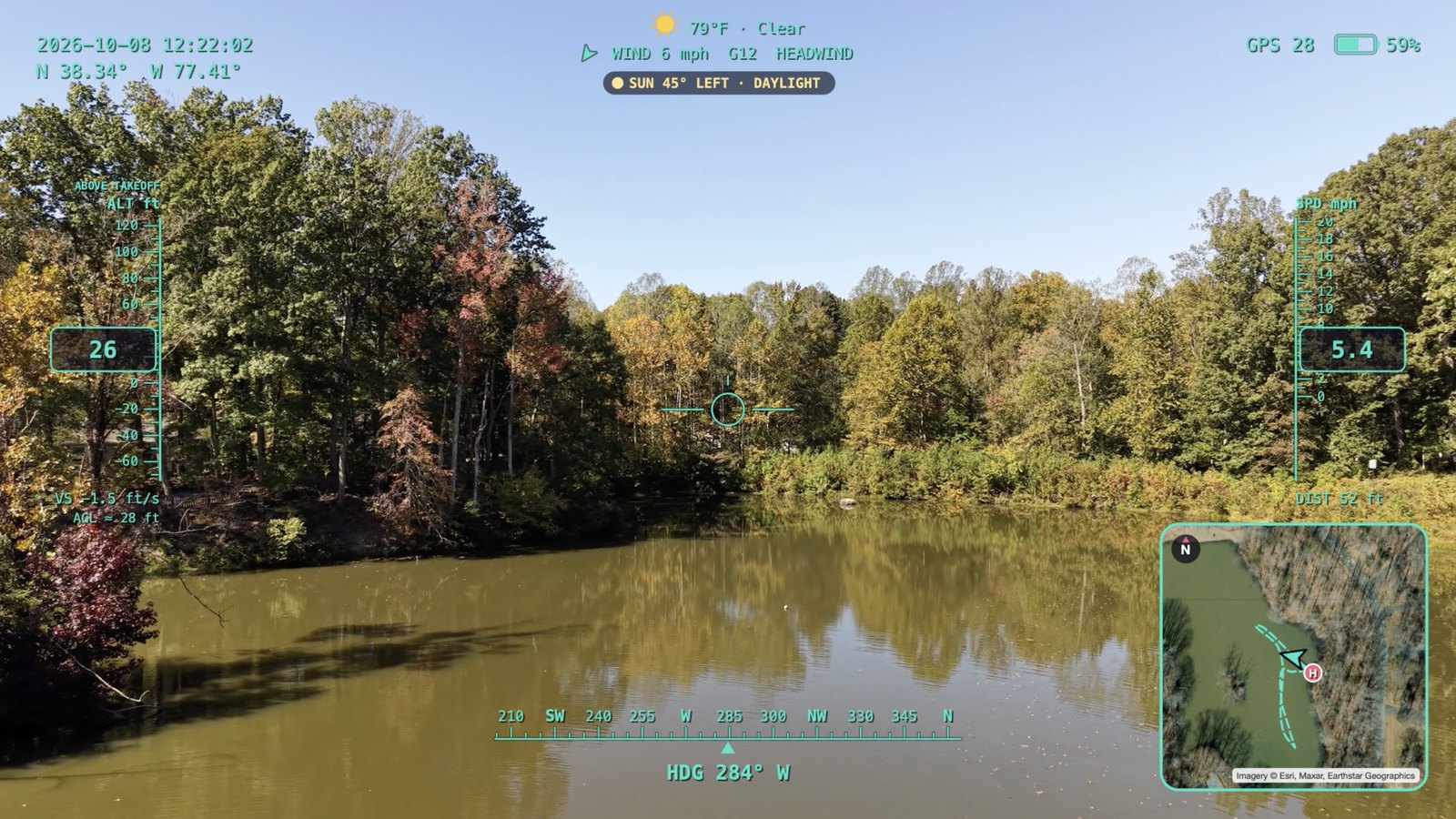
Flight Studio reads your DJI flight log and puts altitude, speed, heading, a live map and the weather on your video — then keeps a logbook of every flight and replays it in 3D.
Free to try · Pro free for 14 days · macOS 12 or later · version 1.0.0
From a flight to a finished video
Bring the clip and the flight record from the same flight. Flight Studio does the matching and the math.
Import the log
DJI flight records, Airdata CSVs or the .SRT captions your drone saves.
Open the clip
Flight Studio finds the flight it was shot on and syncs it to the frame.
Pick your HUD
Altitude, speed, heading, live map, battery, weather and sun position.
Export
A finished video, a highlight reel cut to music, or a 3D flyover.
Keep the log
Every flight saved with stats, notes, places, batteries and your media.
Inside the app
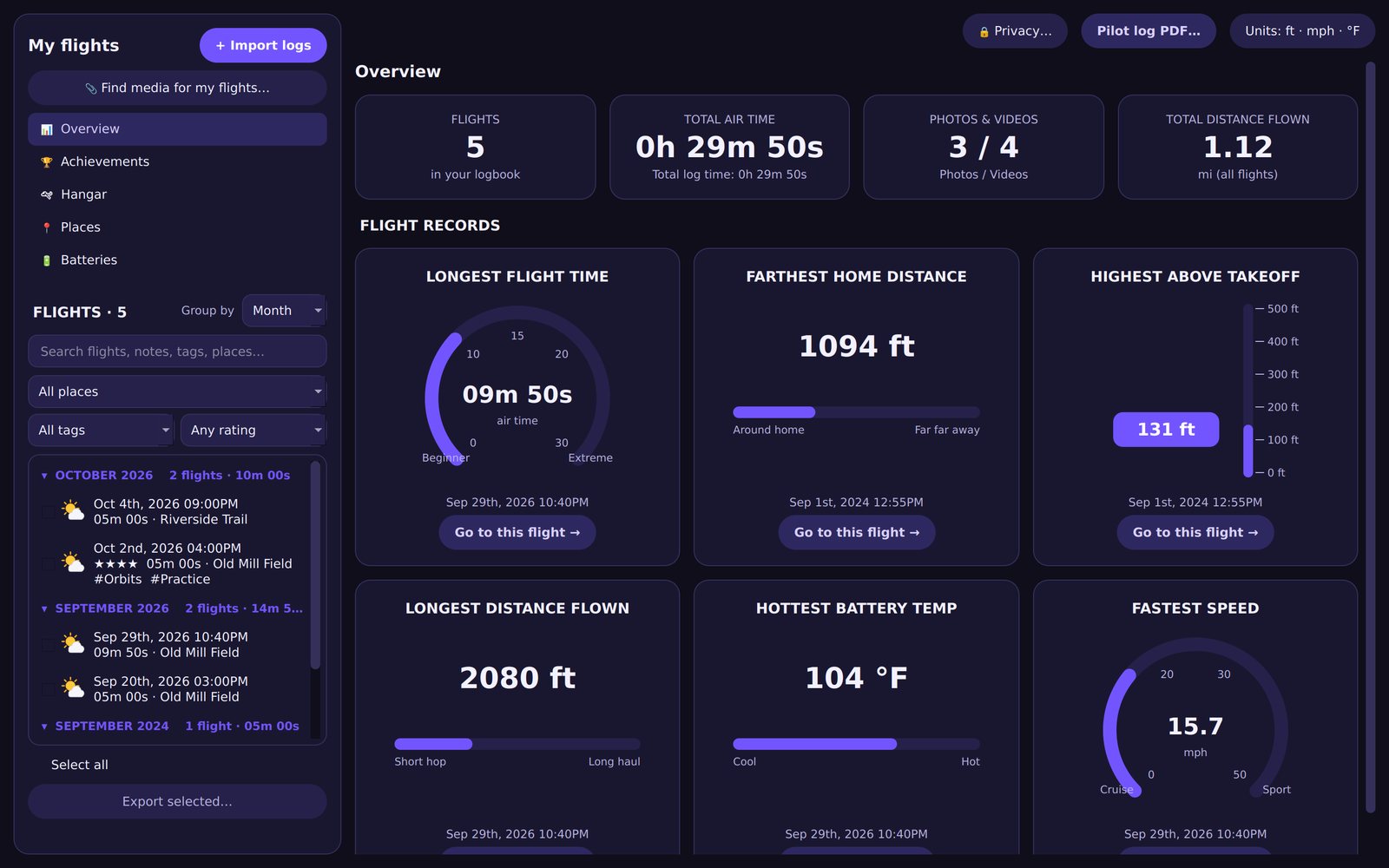
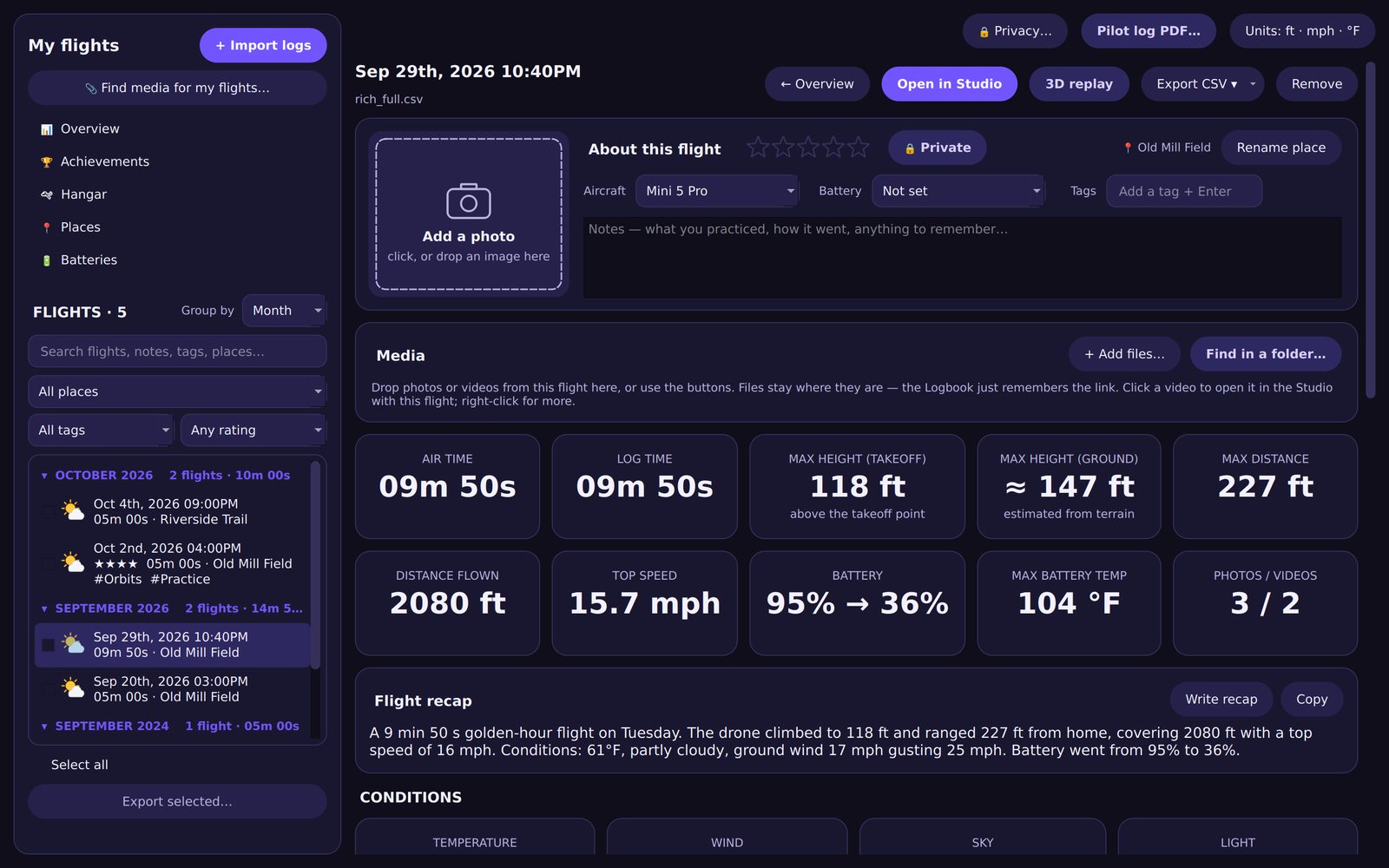
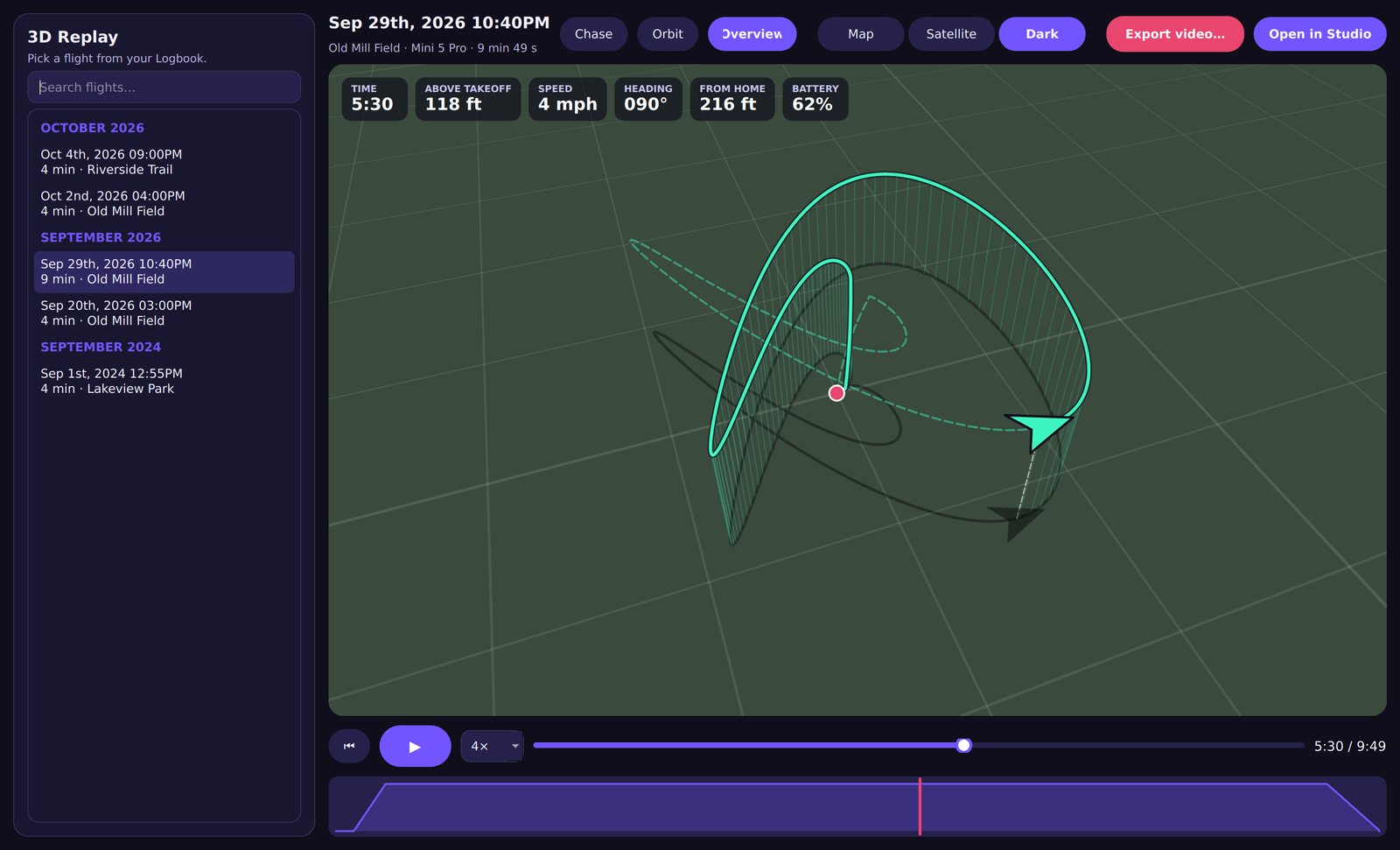
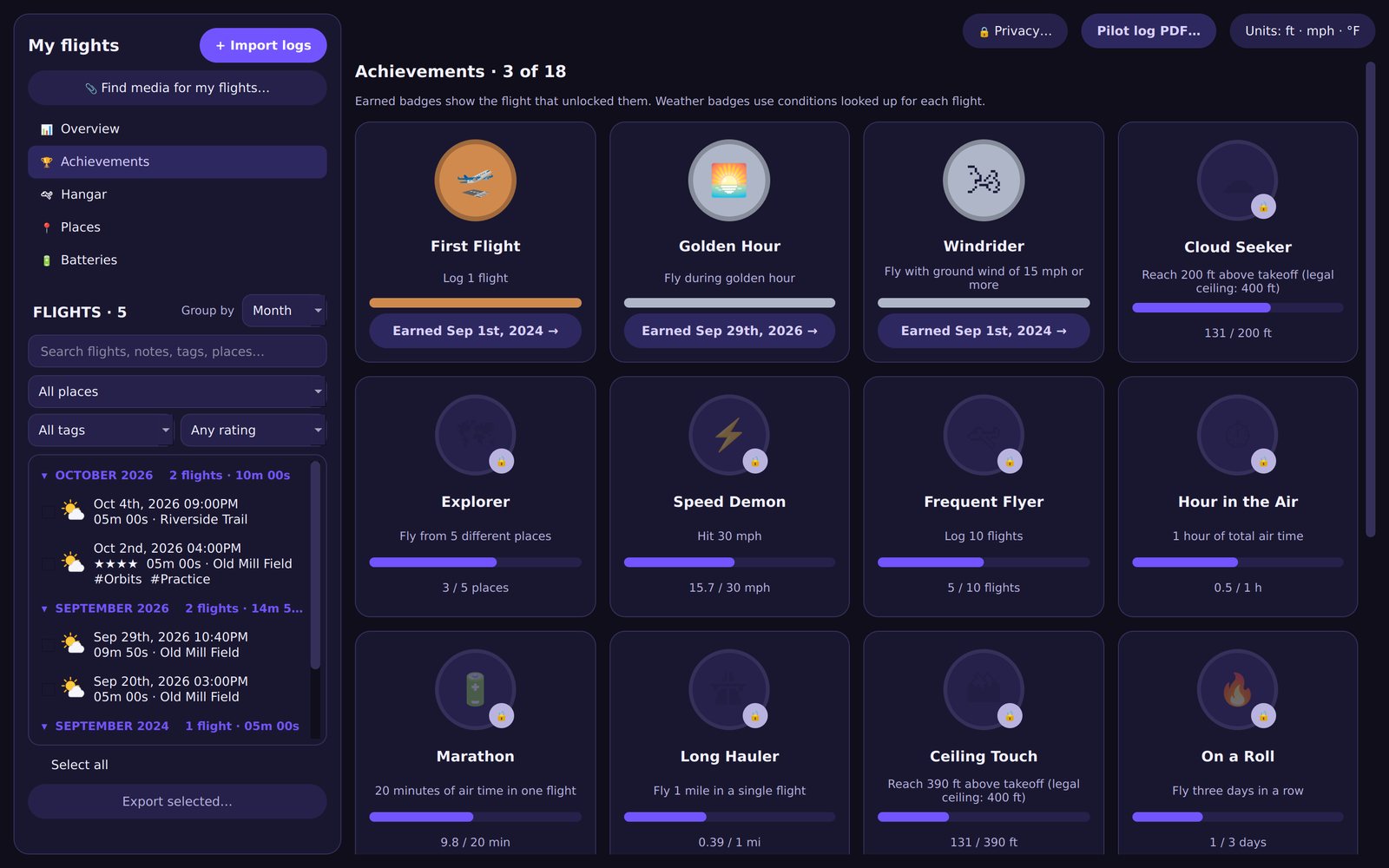
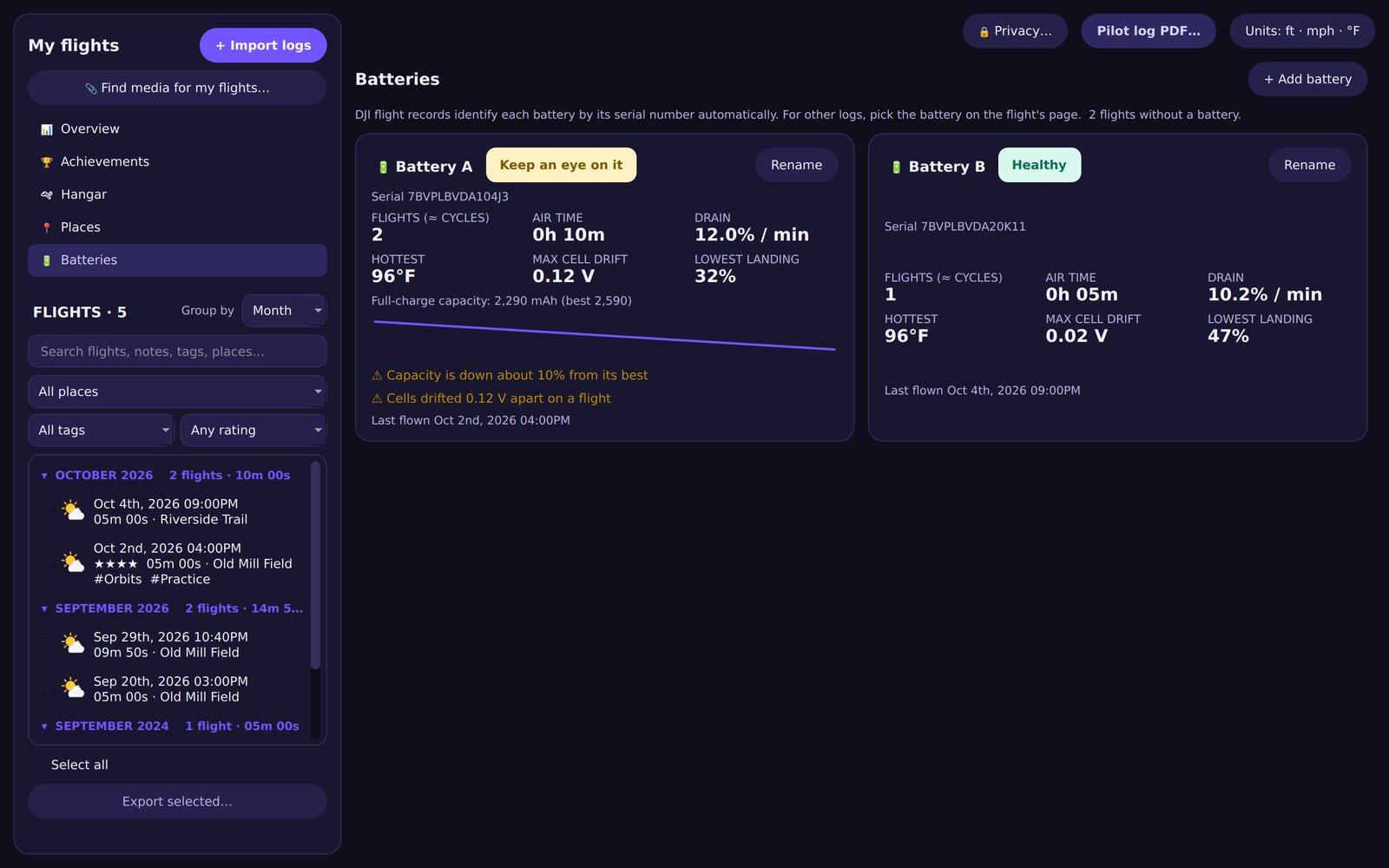
Every flight you import lands in your logbook, with records, conditions and a 3D replay a click away.
Built around how pilots fly
- LogbookAir time, distance, top speed and records for every flight, grouped by month, place or aircraft.
- 3D replayWatch any flight again over satellite imagery, with chase, orbit and overview cameras.
- Highlight reelsThe best moments found from your flight data, cut on the beat of a song you pick.
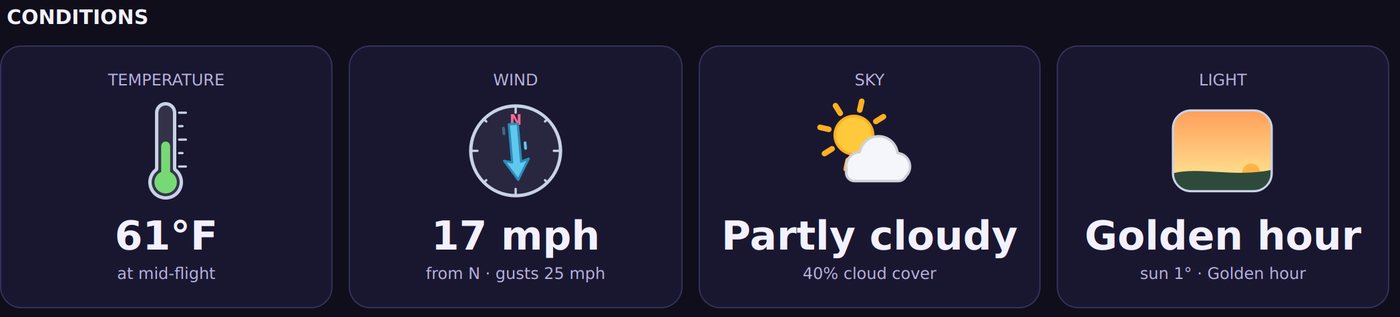
- Weather and lightWind, gusts, temperature and golden hour, looked up for the place and time you flew.
- Batteries and placesBattery health over time, and stats for each spot you fly from.
- Height you can trustHeight above takeoff and estimated height above the ground, labelled clearly.
Five HUD looks
The same flight data, drawn your way.
Pricing
Start free. Every new install can try Pro for 14 days — no card needed.
Free
Try everything that matters.
- Classic HUD with live map and weather
- Logbook up to 10 flights
- 3D replay
- Exports up to 1080p with a small Flight Studio mark
Pro
Renews yearly. Cancel any time.
- All five HUD themes
- Unlimited flights
- Full-resolution exports, no mark
- 3D flyover and split-screen videos
- Highlight reels with music, pilot log PDF
- Use on 2 Macs
Your footage and flight logs stay on your Mac.
Private by default
Flights are private unless you mark them shareable. Private flights never show coordinates in what you export, your home can be masked on every map, and 3D videos of private flights hide the location.
Encrypted DJI logs are decrypted through DJI's official service; only the flight's key request is sent, never your footage. Read the privacy policy.
Questions
Which drones does it work with?
Any DJI drone flown with DJI Fly or DJI GO that saves flight records, plus any drone with an Airdata CSV export. The .SRT caption files DJI cameras save next to each video also work.
Do I need a DJI developer account?
No. Flight Studio decrypts DJI flight records for you.
Does it work on Windows?
Not yet — Flight Studio is Mac only for now (macOS 12 or later on Apple silicon Macs).
How do I move Pro to a new Mac?
Open Flight Studio Pro on the old Mac and choose Deactivate this Mac, then enter your key on the new one. Each key works on 2 Macs at a time.
Where do I find my license key?
It's in your purchase email, and on your order at app.lemonsqueezy.com/my-orders.
Can I cancel?
Yes. Choose Manage subscription in the app (or use the link in your receipt). Pro keeps working until the end of the period you paid for.
Fly, then press export.
Version 1.0.0 · macOS 12 or later